Four Content Tools Evaluated

Intro
The Problem: You have a non-technical collaborator who’s creating content but who doesn’t or shouldn’t have access to your back end – or you’re working with a static-site generated that lacks any easy/GUI back-end.
The Solution: Use a third-party platform to help manage your content.
- User-friendly interface
- Well-developed products
- Often free or have a free tier
- APIs can be used to automate content updates into your website
Four Tools
Airtable
Lightweight relational database—“Excel on steroids”
Data integration: data can be exported manual or retrieved via API/Zapier
Setup: Easy+ (scalable)
Content Sophistication: Robust
End User Use: All content is ultimately in tables, but can be displayed in grid, form, calendar, timeline, kanban, Gantt. Create relationships between content, enforce controlled vocabularies. Easy features you always wanted in spreadsheets like pulldown menus or tag lookups.
Notion
Notion is a knowledge management app that can build anything from wikis to project management using a combination of pages, content blocks, and databases. Notion can be used just for content creation, but it can also be used to create whole websites. Free pro licenses for education.
Data integration: Tools and tutorials are available to serve data from Notion to many major SSGs. For Jekyll, try the Notablog gem. If you created an entire site in Notion, try the Python script Loconotion. It harvests the entire Notion-published site and streamlines it for static publishing.
Setup: The basics are simple, but some options— such as filtered database views— take experimentation to master. Setup of the content structure is all handled within the Notion app.
Content Sophistication: It can become pretty sophisticated as databases have two-dozen data types including AI-driven content such as summaries and translation. Each database, in turn, can have many views — both in terms of filtering and sorting and in terms of presentation such as card-based or columnar.
End User Use: Anyone familiar with filling out online forms will feel at home in Notion with a little practice.
Find it: notion.so
Sanity
Sanity is software as a service that combines a headless CMS with a content database that can support highly sophisticated content architectures capable of supporting nearly any website, app, or service. It shines in ease of use for the end user. Paid accounts for larger projects, larger teams, more data, more features. Free pro accounts available for open source-creative commons projects.
Data Integration: API-based. You call on the content using a robust, but custom query language.
Setup: Difficult as you’re coding Typescript templates. However, automated templates are available for major frameworks such as Next.js, Astro, Angular, Sveltkit, and Remix. They get an entire site running on Vercel and Github with a few clicks. Solid documentation provide code patterns and Slack-based support is surprisingly robust.
Content sophistication: Extreme. “Finally, a system I can mold to the needs of my content instead of having to mold my content to the needs of the system” — Alia Levar Wegner, digital collections librarian at Miami University.
End User Use: Easy to learn interface.
Find it: sanity.io
Google Sheets
The familiar cloud spreadsheet application in the Google Docs Suite of apps.
Data integration: API and Zapier
Setup: Easy
Content Sophistication: Low (or as fancy as you make it)
End User Use: Familiar interface suitable for any short-length data entry + calculations. We use it for managing our staff list on the website: easy to edit a spreadsheet when a name or phone number changes, and the APIs update the website from the data.
Find it: sheets.google.com
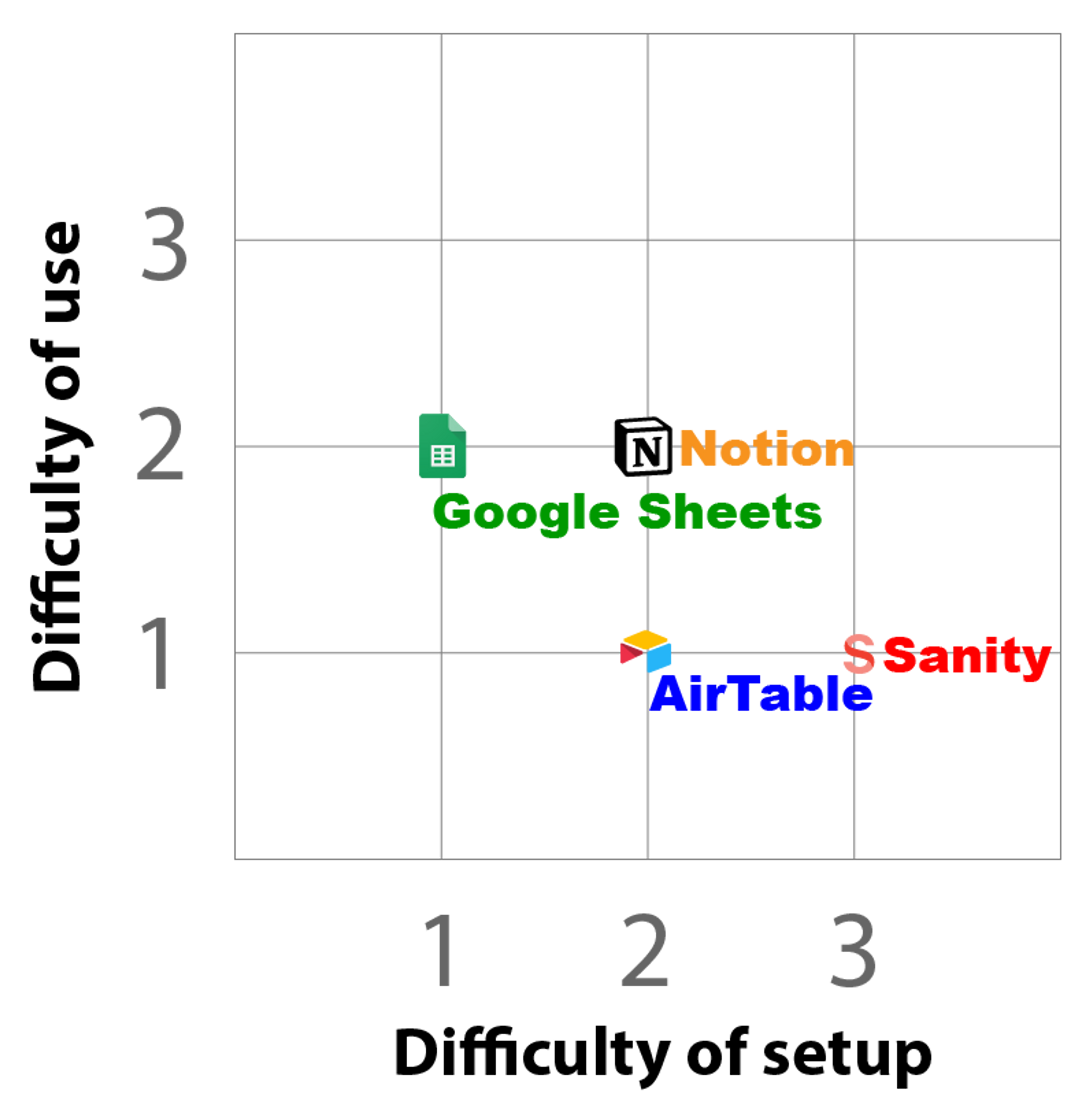
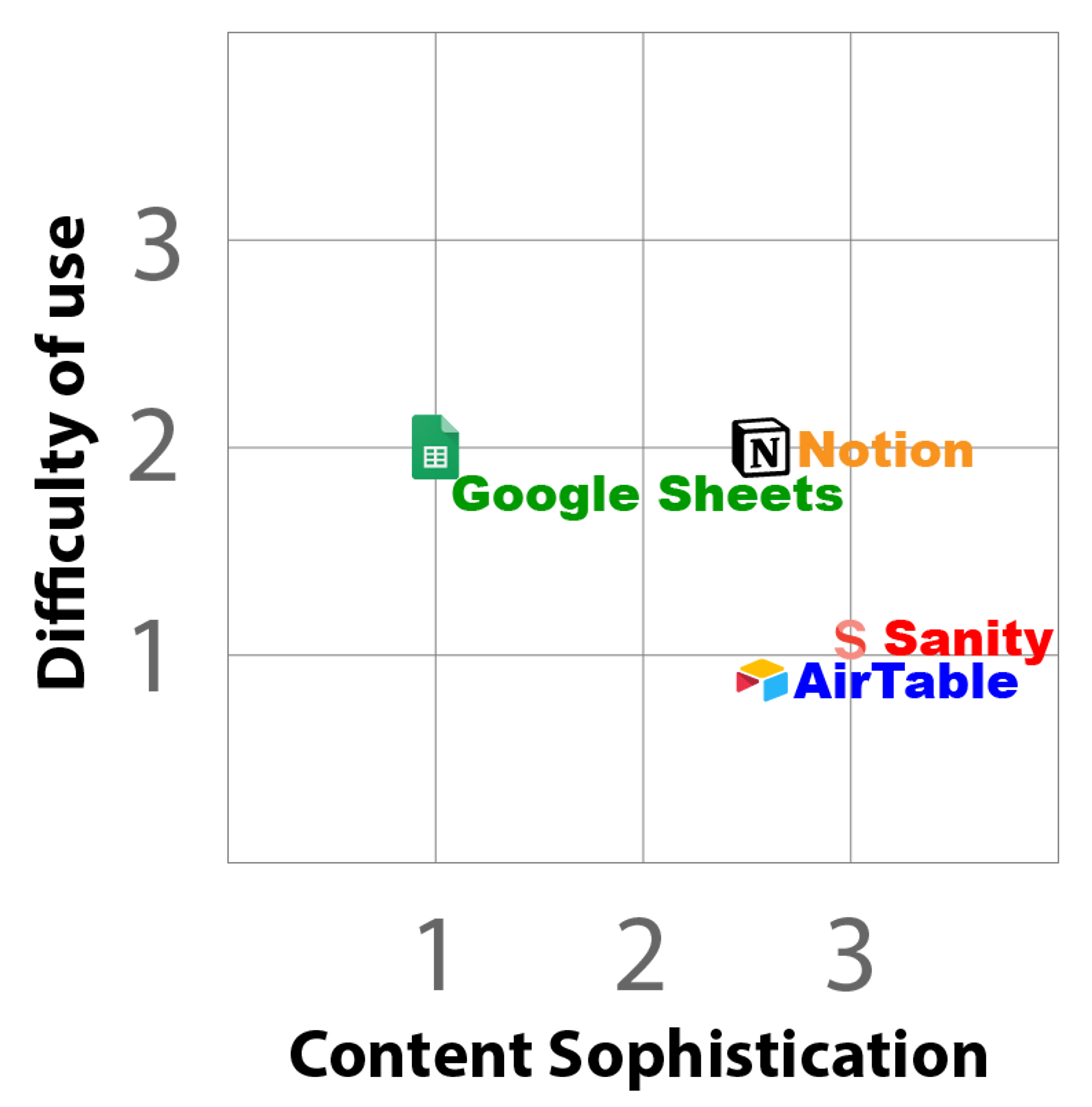
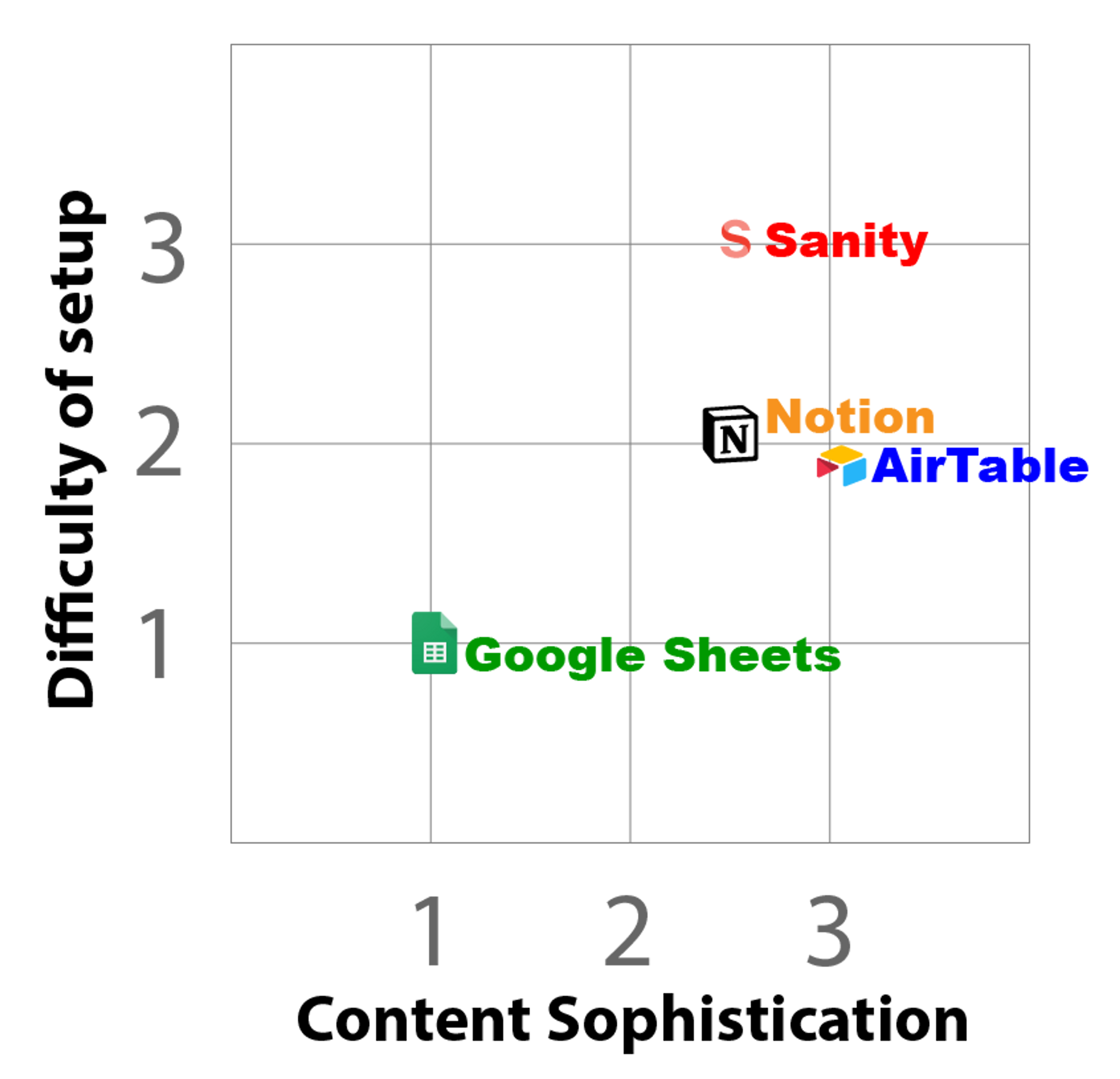
Tools Comparison Matrix
We've described each tool separately, but how do they compare? We've compared each on a scale of 0-4 on difficulty of use, difficulty of setup, and sophistication of content possible to give you an idea of how the various tool compare to each other.